AI highlight detection
No more scrubbing through long videos
OpusCut analyzes speech, emotion, and narrative completeness to surface ideas and moments worth posting on their own — not random cuts, but complete, memorable clips.
Start free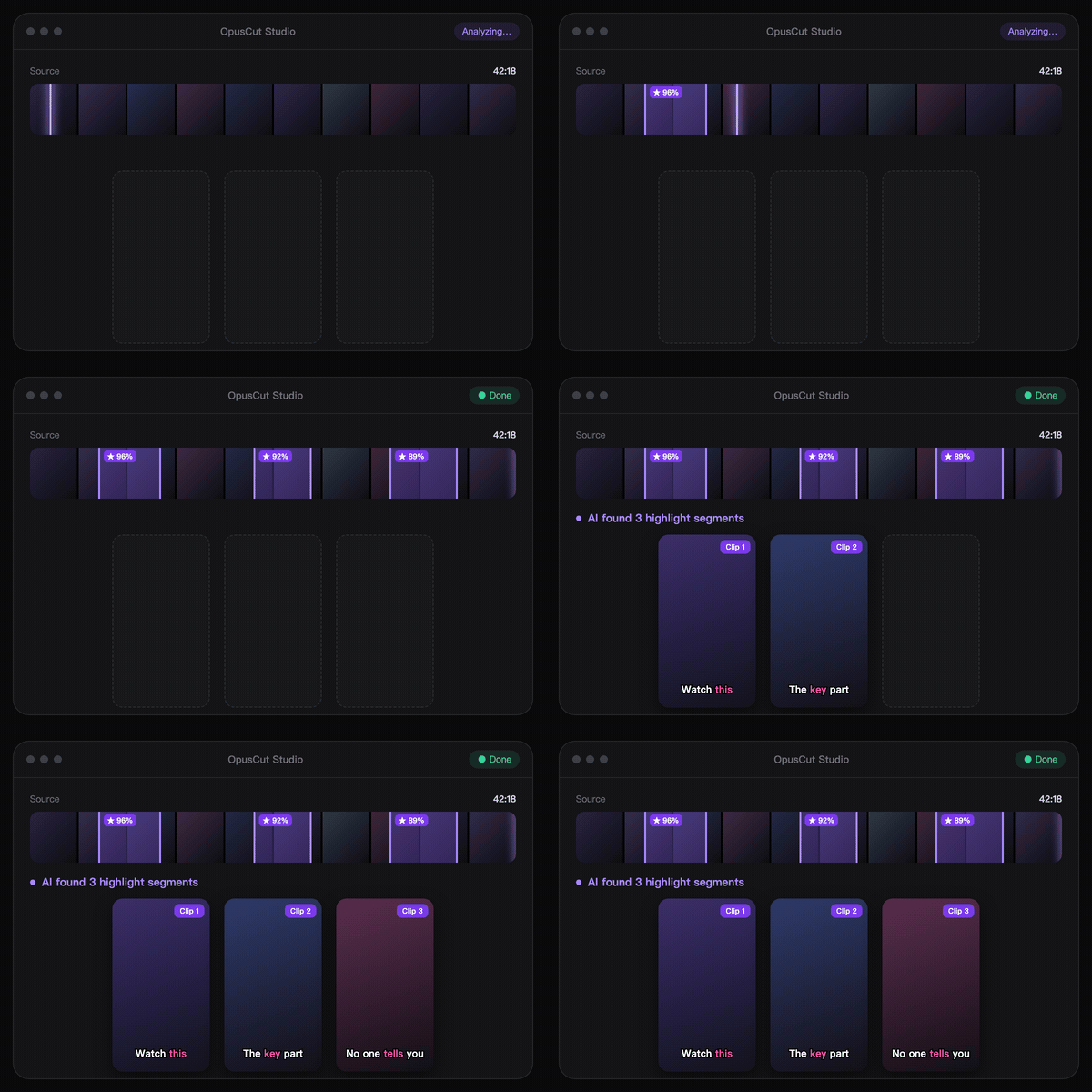
Upload a video or paste a YouTube link. OpusCut leverages machine learning, finds the complete ideas and highlight moments, tightens the opening, reframes vertical, adds customized motion graphic and animated captions.
Real Examples
OpusCut tools
OpusCut is an AI video toolkit for creators — highlight clipping, subtitles, and text-to-voice turn any long video into ready-to-post short clips.
Find complete, valuable clips inside any long video — auto-reframed to vertical with animated captions.
Start clipping →Auto-transcribe speech and generate accurate captions — burned into the video, or exported as SRT.
Generate captions →Type your script and generate natural AI voiceovers, supporting many languages.
Start voicing →AI highlight detection
OpusCut analyzes speech, emotion, and narrative completeness to surface ideas and moments worth posting on their own — not random cuts, but complete, memorable clips.
Start freeAnimated captions
Choose KTV, Opus Pop, or static captions, and set your own brand color for each style. Set it once and it applies to every caption in the clip.
Start free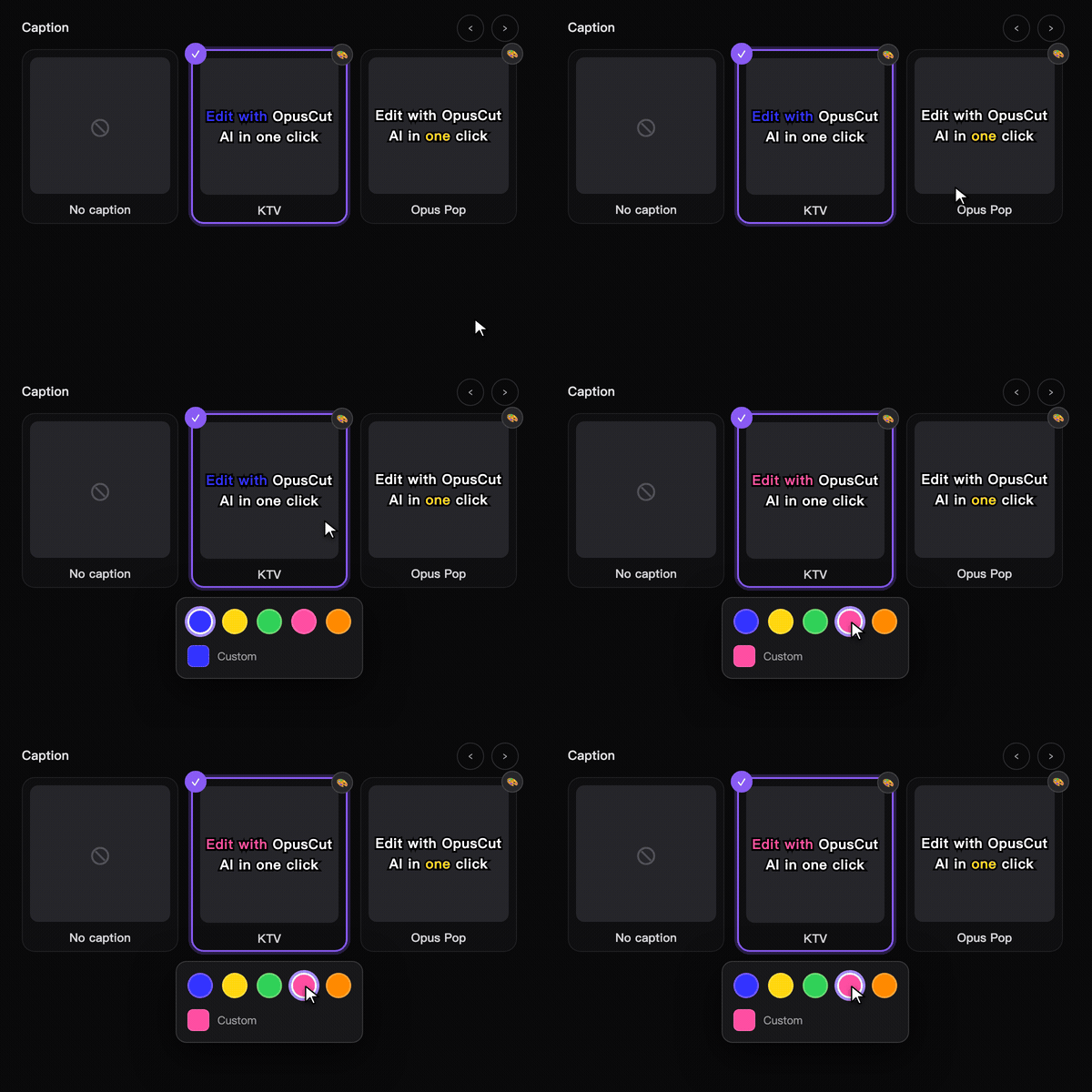
Brand fonts
Use a built-in font or upload your own brand font, keeping the same look from clipping through advanced editing — instantly recognizable as yours.
Start free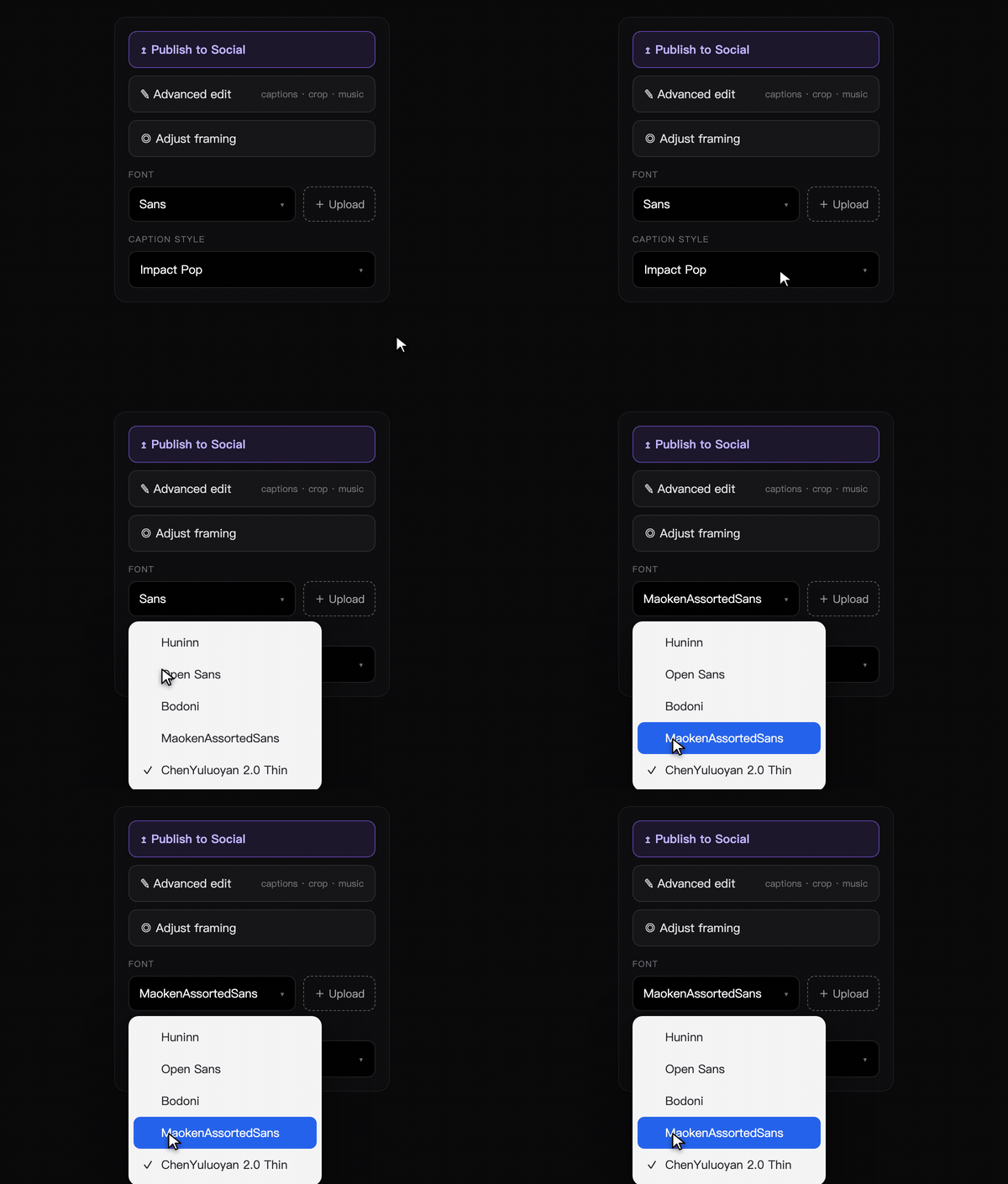
How it works
Drop a YouTube / Google Drive link, or upload a video file up to 10 GB.
OpusCut analyzes the whole video, picks post-worthy segments, reframes vertical, and adds captions.
Swap caption style, font, and color, or do advanced edits, then download HD / 4K to post.
Compare
Not just better than editing apps — even rolling your own with an AI agent (like Claude Code) can't give you a repeatable cut that learns your style.
vs. editing apps (CapCut / 剪映)
| Feature | OpusCut ✦ | CapCut | 剪映 |
|---|---|---|---|
| Bilingual interface | ✓ | Partial | ✗ |
| AI auto-detect video highlights | ✓ | ✗ | ✗ |
| Direct YouTube URL input | ✓ | ✗ | ✗ |
| Multi-language recognition | ✓ | ✗ | ✗ |
| No install · runs in the browser | ✓ | Install | Install |
| Caption-burned video ready to upload | ✓ | ✓ | ✓ |
vs. DIY with an AI agent (e.g. Claude Code)
| Feature | OpusCut ✦ | DIY AI |
|---|---|---|
| No code · no API keys | ✓ | Needs code |
| Learns & reproduces your style | ✓ | ✗ |
| Traditional-Chinese captions | ✓ | DIY |
| One-click preview + per-clip edit | ✓ | ✗ |
| Motion cards aligned to speech | ✓ | DIY |
| Repeatable · learns as you use it | ✓ | Re-prompt each time |
Supports 10 content genres
Sign up for 50 free credits and get your first result in minutes. No credit card, no install.